Linux安装xray
作者QQ:67065435 QQ群:669756510
本站内容全部为作者原创,转载请注明出处!
服务器操作
- 下载xray
mkdir /usr/local/xray
cd /usr/local/xray
wget --no-check-certificate -c https://github.com/XTLS/Xray-core/releases/download/v1.5.2/Xray-linux-64.zip
unzip Xray-linux-64.zip
Windows操作
Windows下载V2RayN
# https://github.com/2dust/v2rayN/releases/download/4.29/v2rayN.zipWindows获取config.json(右击→导出为客户端配置)
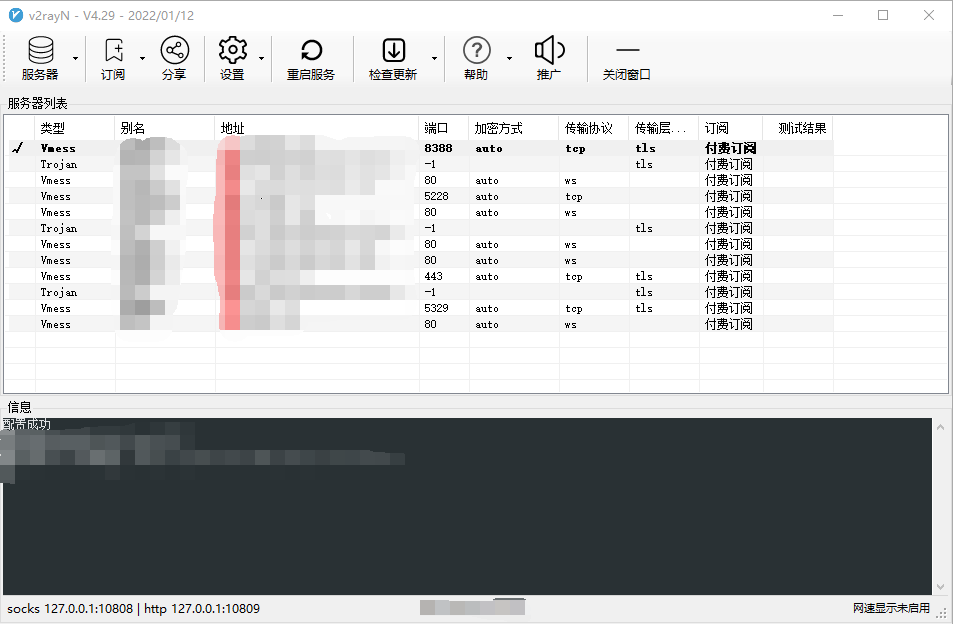
将Windows下获取的config.json放到服务器/usr/local/xray目录
启动xray
/usr/local/xray/xray -c /usr/local/xray/config.json > /dev/null查看xray占用端口
netstat -apn | grep xray配置防火墙
systemctl unmask firewalld
systemctl enable firewalld
systemctl start  firewalld
firewall-cmd --permanent --zone=public --add-port=10809/tcp
firewall-cmd --permanent --zone=public --add-port=10808/tcp
firewall-cmd --reload
关闭xray
Ctrl + C通过systemd管理xray
vim /etc/systemd/system/xray.service

[Unit]
Description=Xray
After=network.target nss-lookup.target

[Service]
User=root
Group=root
Environment=XRAY_LOCATION_ASSET=/usr/local/xray/
CapabilityBoundingSet=CAP_NET_ADMIN CAP_NET_BIND_SERVICE
AmbientCapabilities=CAP_NET_ADMIN CAP_NET_BIND_SERVICE
NoNewPrivileges=true
ExecStart=/usr/local/xray/xray run -config /usr/local/xray/config.json
Restart=on-failure
RestartPreventExitStatus=23

[Install]
WantedBy=multi-user.target

ESC
:wq

systemctl daemon-reload
systemctl start xray
systemctl enable xray
systemctl status xray
全局使用代理
vim /etc/profile

export http_proxy=127.0.0.1:10809
export https_proxy=127.0.0.1:10809

ESC
:wq
当前用户使用代理
vim ~/.bashrc

export http_proxy=127.0.0.1:10809
export https_proxy=127.0.0.1:10809

ESC
:wq
单次请求中使用代理(PHP为例)
<?php

$ch = curl_init();

curl_setopt($ch, CURLOPT_URL, "https://www.baidu.com/");

curl_setopt($ch, CURLOPT_PROXYUSERPWD, "username:password");
curl_setopt($ch, CURLOPT_PROXYAUTH, CURLAUTH_BASIC);

curl_setopt($ch, CURLOPT_PROXYTYPE, CURLPROXY_HTTP);
curl_setopt($ch, CURLOPT_PROXY, "127.0.0.1");
curl_setopt($ch, CURLOPT_PROXYPORT, 10809);

//curl_setopt($ch, CURLOPT_PROXYTYPE, CURLPROXY_SOCKS5);
//curl_setopt($ch, CURLOPT_PROXY, "127.0.0.1");
//curl_setopt($ch, CURLOPT_PROXYPORT, 10808);

$response = curl_exec($ch);

curl_close($ch);

echo $response;